
Registration, attendance, certificates. One record.
Conferences, workshops and professional development, run end to end by your own staff. No vendor ticket required.
The whole thing, in half a minute.
Every screen in this film is the running product, recorded against real records.
Then take a badge off the board: eight of them, each opening the part of the product it names.
Start with registrationNothing is re-keyed between one step and the next.
Publish
The event goes live on your own branded page with its registration form attached.Register
Someone registers, or a district registers a group. Conditional rules ask only the questions that apply.Invoice
A district is invoiced, or a card is taken. Refunds and discounts stay on the same record.Check in
A phone at the door scans them in, then scans them into each session they attend.Certify
Credit hours total up. The certificate issues itself when the rules are met.Report
Attendance, money and outcomes come out as a report you built yourself.

Registration
Registration you configure yourself.
Build the form, add conditional rules, and take individual, group, sponsor, exhibitor and vendor registrations with approvals and waitlists.
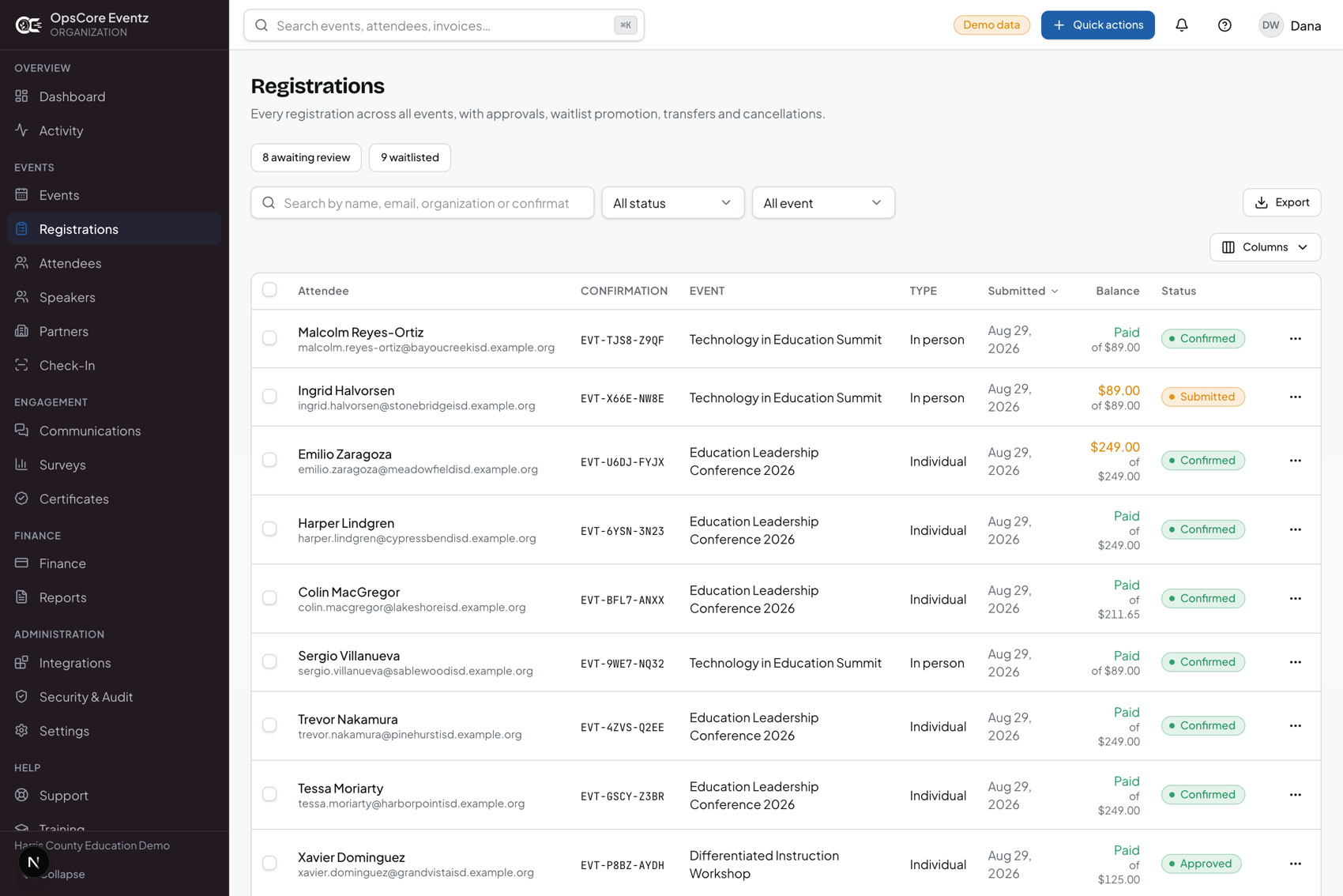
Every registration, every event
One list across the programme, with confirmation numbers, balances and status, and filters for what is awaiting review or waitlisted.
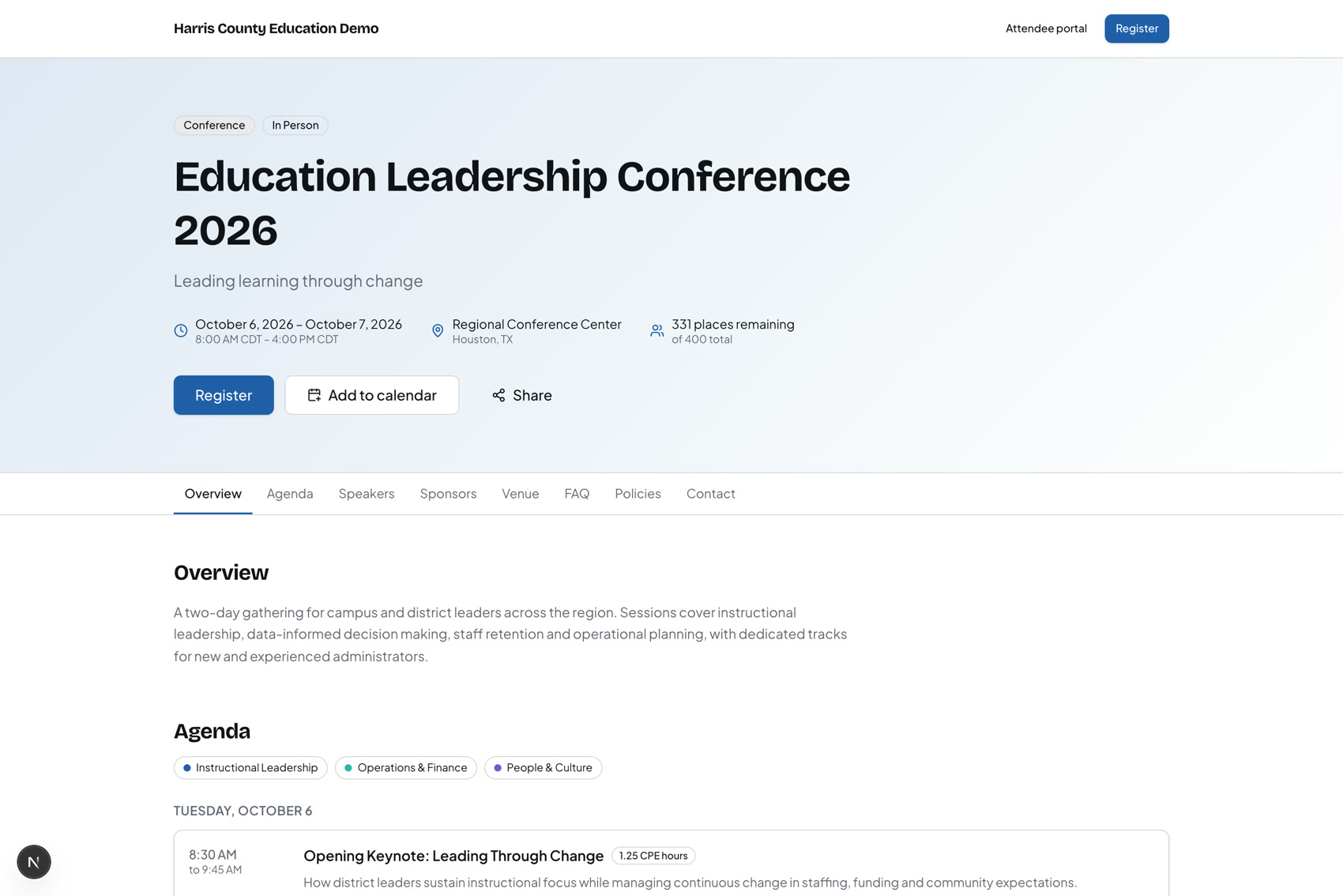
Your own page, your own form
Each event is published on a branded public page with its registration form attached. Conferences, workshops, professional development, meetings and expos; in person, virtual or hybrid, with many events running at once.
- A district registers as a group
- Staff create the group on the event and paste its roster, as name-and-email lines or a CSV exported from a district spreadsheet.
- Nothing on the roster is guessed
- A line without a usable name or email comes back with its line number, rather than being dropped or filled in.
- One invoice for the group
- The group is invoiced as one, and every action on it is permission-checked and written to the audit log.

Check-in
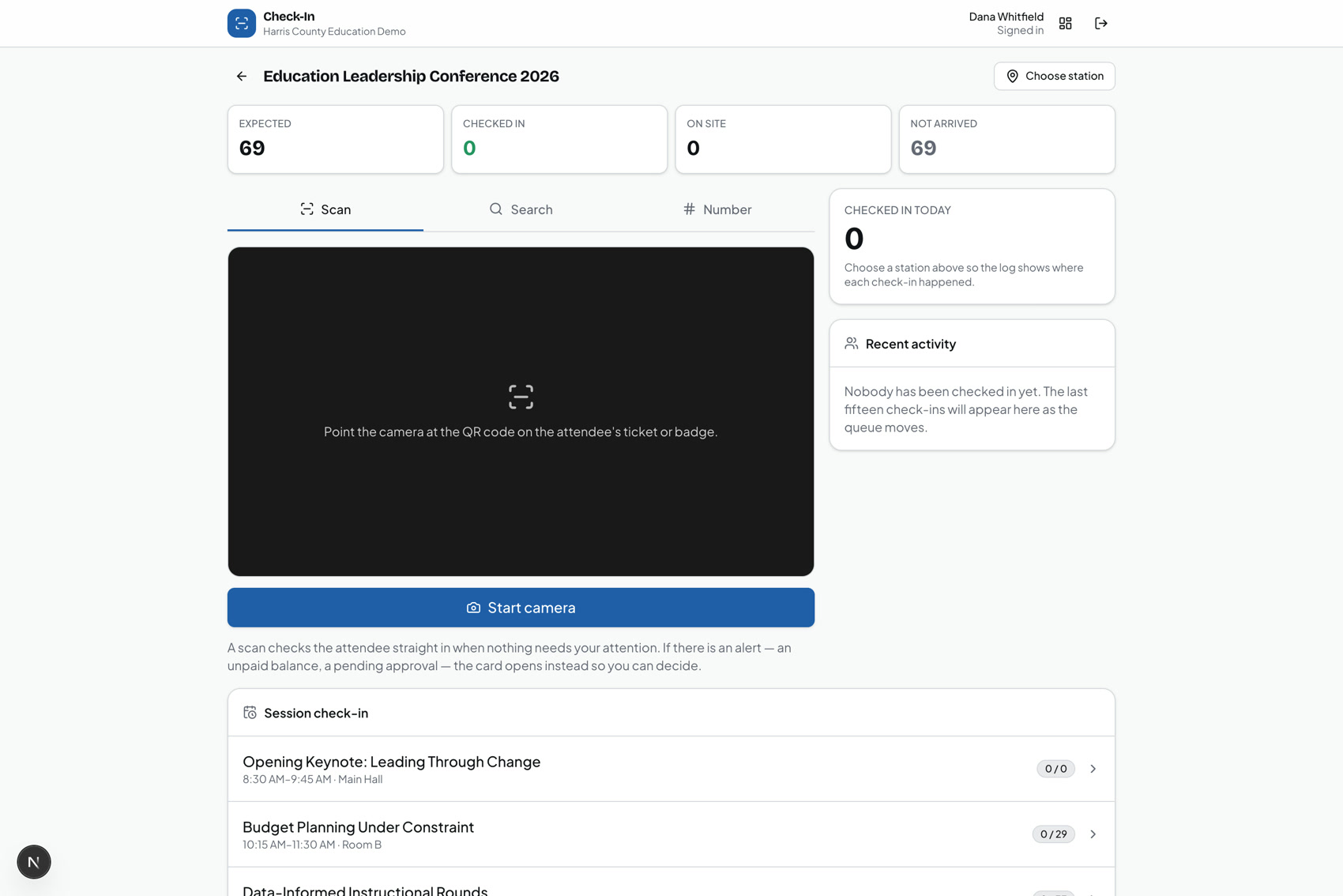
Check-in is a phone at a door.
QR check-in on any phone or tablet, badge design and printing, and attendance recorded session by session.
Staff at the door
A phone or tablet, a roster and a scanner. Check people into the event, then into each session they attend, with no access to anything else.
- Scanned in at the door
- Scanned into each session
- Attendance feeds the credit hours

Presenting
The speaker presents from the same system.
Speakers have their own portal: their sessions, their materials and their tasks. From a session they upload the deck and present it there, and the people in the room can follow along on their own screens.
- Present mode
- The deck is a PDF, presented in the browser from the speaker portal or the console. Video and audio can sit in the deck as steps of their own.
- Follow along
- Attendees registered for the session open it from their agenda and see the presenter’s current slide as it changes. Downloading the deck is the organizer’s choice.
- Live video
- The presenter’s camera, microphone and screen go out live to the session, with hosts and co-hosts, invitations onto the stage and raised hands.
- Questions from the floor
- Attendees ask and upvote questions in the session; a moderator works the board while the speaker presents.

Certificates
It ends with someone's name on a document.
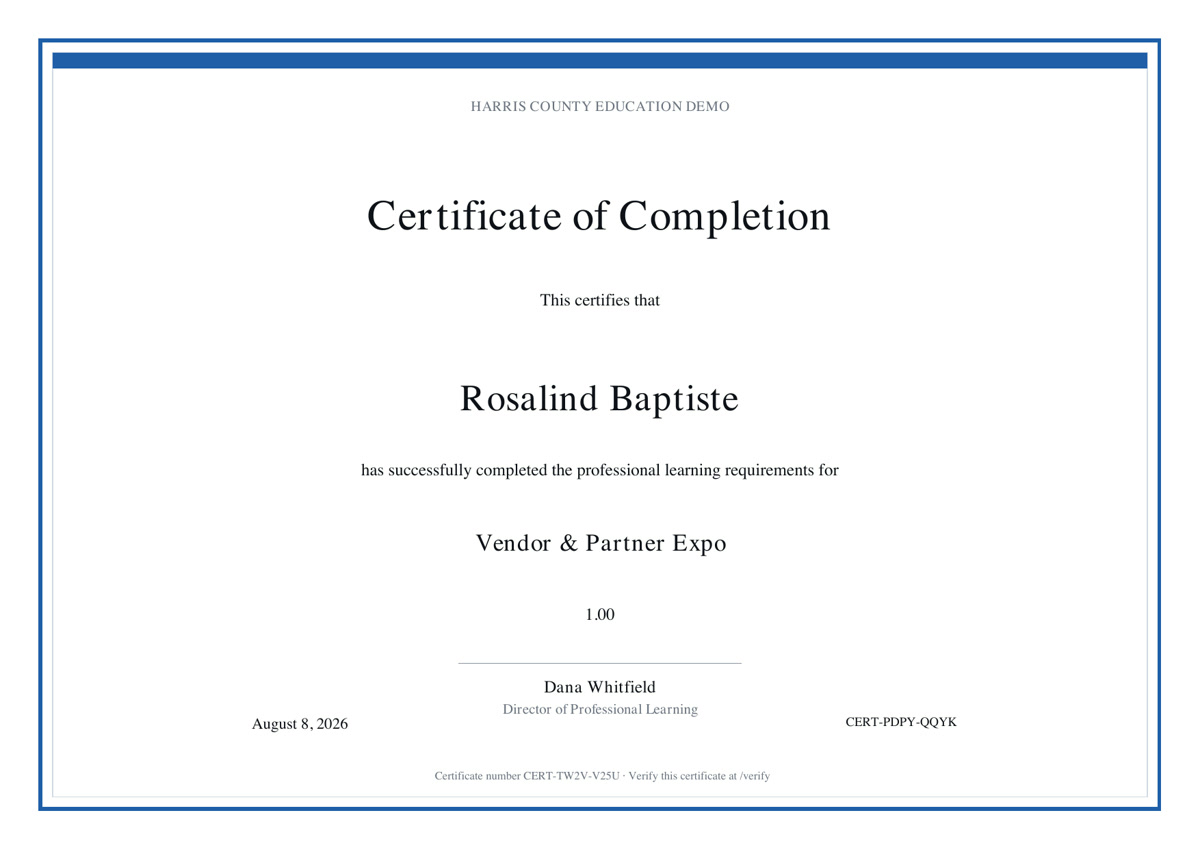
Eligibility comes from attendance, required sessions, credit hours or a completed survey. When the rules are met the certificate issues itself, numbered and on your letterhead. Anyone can confirm that number on a public page, so nobody has to phone your office to check a candidate.
- Issued automatically when your rules are satisfied
- Numbered, and verifiable by anyone without an account
- Rendered on the organization’s own letterhead and accent

Training Academy
Your staff learn it inside it.
The Training Academy is built into the console: ten courses for the people who run your events, a practice mode on fictional data, and a record of who has finished what.
- Getting started with OpsCore Eventz
- Administering your organization
- Creating and publishing an event
- Managing registrations
- Running check-in
- Finance and payments
- Reporting and dashboards
- Certificates and credit hours
- Integrations and the API
- Security, privacy and audit
- Assigned by role
- Courses required for a person’s role are assigned to them with 30 days to complete.
- Practice without consequences
- Practice screens copy the real ones and run on fictional data in the browser: create a draft event, register a group, check someone in, issue a certificate. The only thing saved is that you finished.
- A certificate of their own
- Complete every course your role requires and the OpsCore Eventz Administrator Certificate is earned. Managers see the whole team’s progress.

Reports & finance
Reporting without a developer. Finance built for accountability.
A standard report library plus a builder, and invoices, payments, refunds, discounts and reconciliation on the same records.
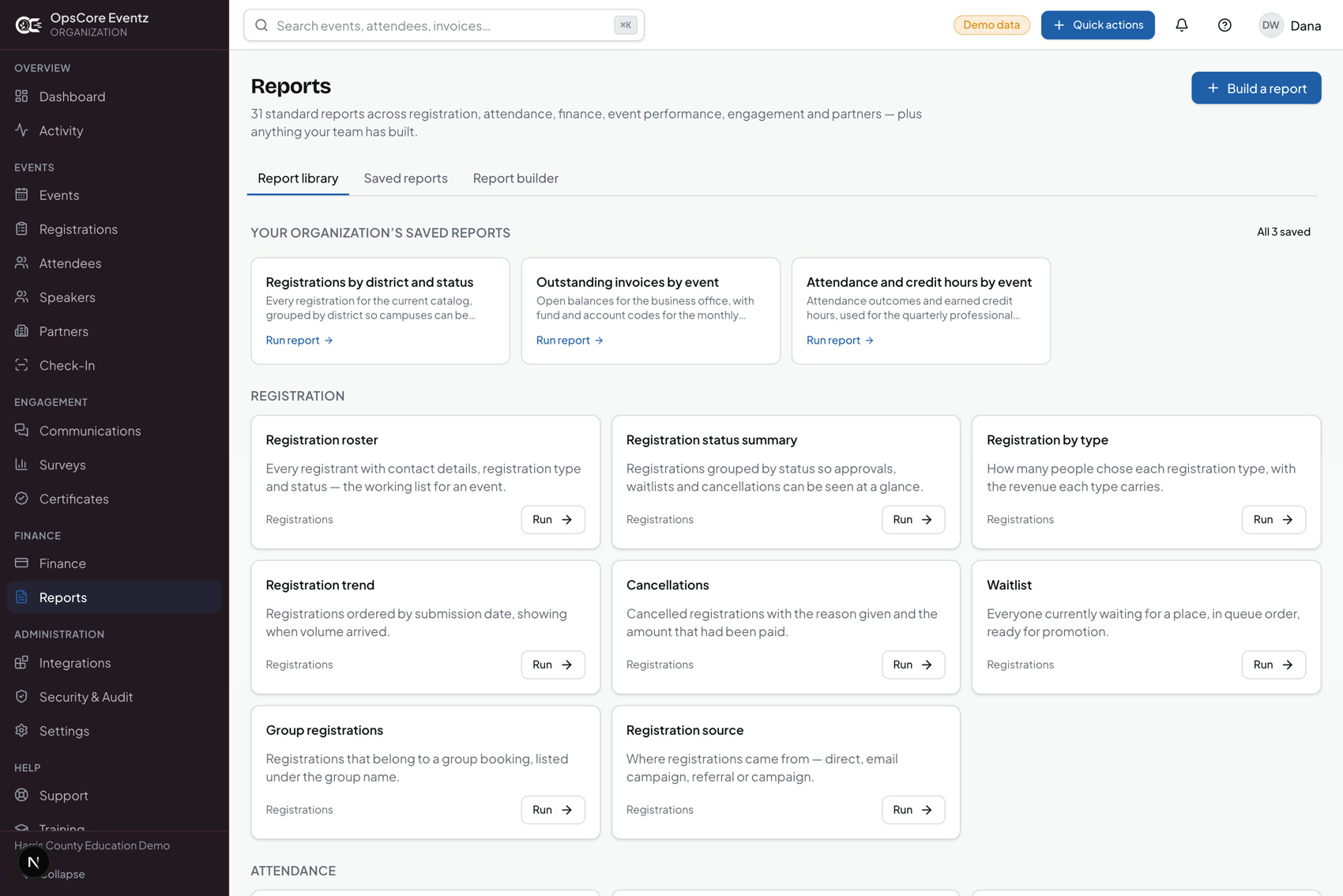
Build the report yourself
Pick a dataset, choose fields, filter, group, save and export.
- Every export is accountable
- Financial exports are permission-gated and written to the audit log as they happen.
- Delivered to eFinancePlus
- A scheduled run builds the mapped file for each record type and uploads it to the district’s SFTP server. Each run is recorded as delivered, partial or failed, with the server’s own reason.

Integrations
It connects to what the district already runs.
A scoped REST API and outbound webhooks, with secure file exchange as the alternative when a district cannot open a connection.
- Communications that run themselves
- Announcements, templates and automation, with a delivery log that records what was actually sent rather than what was scheduled.
- Text messages, with consent
- Through the organization’s own Twilio account, only to attendees who ticked the text-message box. A STOP reply clears it at once, and a message with no working account is logged as not sent.
- Single sign-on
- Staff sign in with Microsoft Entra ID or Google Workspace, matched to the organization by their email domain. Only existing, active users get in; nobody is created on the fly.
- An API with scopes
- Keys are hashed, scoped and rate limited. A money figure only comes back to a key that holds finance access.

Security & audit

It has to survive being reviewed.
Public-sector programmes get audited, and the answer to “who changed this and when” cannot be a shrug. Every privileged action is checked on the server, not in the interface, and recorded with the actor, the record and what changed.
- 12 roles, 71 permissions
- Start from the roles that ship, or build your own. Access is granted by permission, not by job title.
- Organizations cannot see each other
- Enforced server-side on every request. A record from another organization returns not-found, never a permission error.
- A real audit history
- Actor, entity, before and after. Financial exports are permission-gated and written to the log as they happen.
Three ways in. One system.
An administrator, a staff member at the door and an attendee each see a different surface onto the same records.
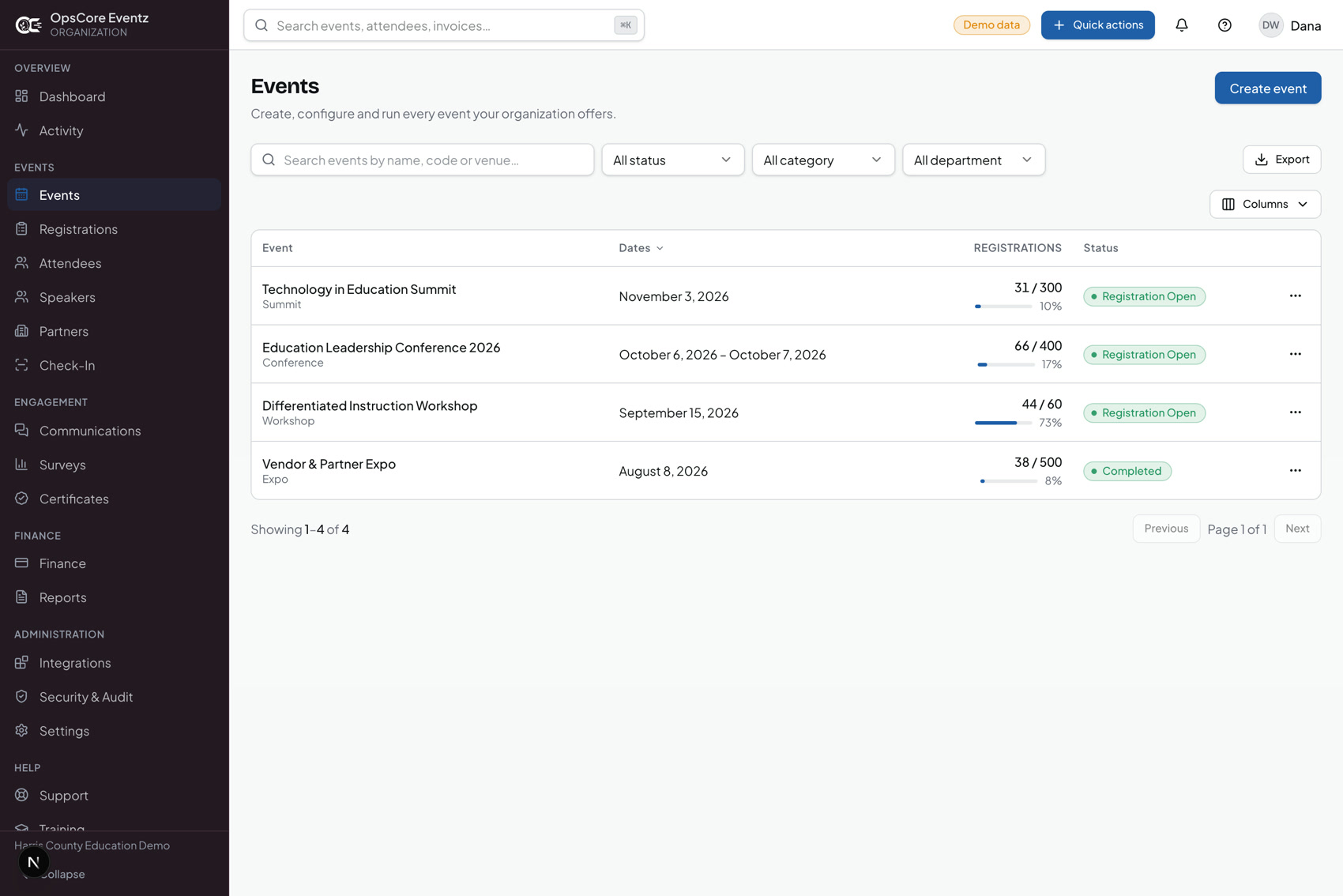
The console
Events and sessions, speakers, sponsors and vendors, forms, communications, badges, certificates, finance, reports, roles and the audit trail.
Check-in
A phone or tablet, a roster and a scanner. Check people into the event, then into each session, with no access to anything else.
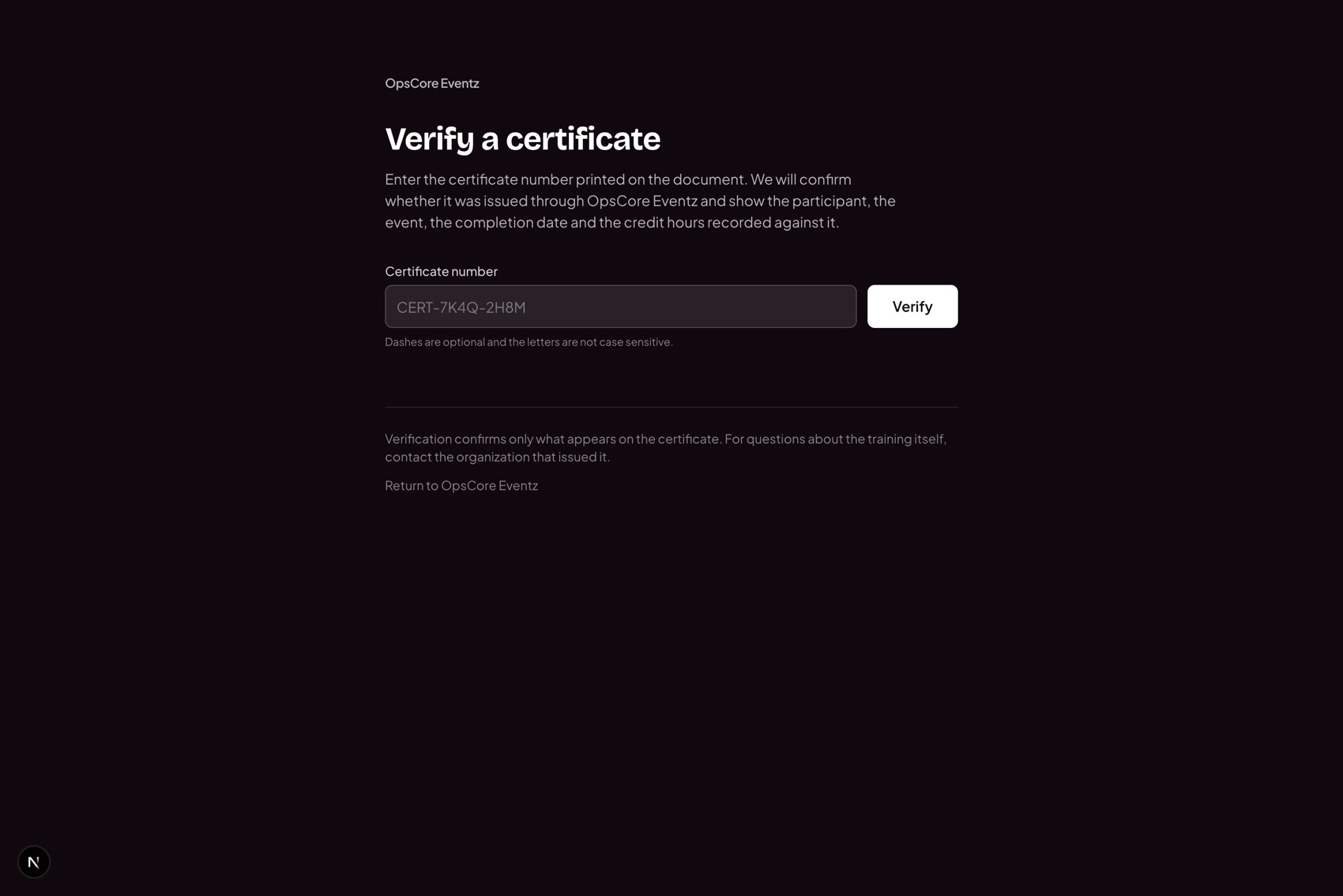
Verification
A public page that takes a certificate number and answers. Attendees get their own portal for agendas, payments, surveys and certificates.
Straight answers.
Who is this actually for?
Organizations that run events for other people rather than for themselves. Education service centers, districts, county departments of education, state agencies and the associations around them. The unit of work is a programme of many events per year with credit hours attached, not a single annual conference.
Can our own staff change things, or do we file a ticket?
Your staff change things. Forms, workflows, branding, email templates, certificate rules, reports, permissions and financial mappings are all administrator-controlled from inside the console. An ordinary change never needs the vendor, and the Training Academy teaches your staff how.
Is each organization really separated?
Yes, and it is enforced on the server on every request, not in the interface. A record belonging to another organization does not return a permission error, it returns a not-found, so the system never confirms that the record exists at all.
How do certificates get verified?
Every certificate carries a number, and there is a public verification page that takes it. Anyone checking a candidate can confirm the certificate without an account and without you being asked to look it up.
What does the API let us do?
Read events, sessions, registrations, attendees, invoices and payments, and write registrations, attendees and attendance. Keys carry scopes, so a finance figure is only returned to a key that holds finance access. Writes go through the same rules the interface uses, including the conditional logic on your forms.
What is not built yet?
Bulk import of records from a spreadsheet (a group roster can be pasted; nothing else is imported), and a background worker to run report schedules on their own. The product says so where it matters rather than presenting an empty screen as a working feature.

See it with your own programme in it.
We will walk one of your real events through registration, check-in and a certificate.
Book a walkthrough